


The Pokémon Company (headquartered in Minato-ku, Tokyo; CEO Tsunekazu Ishihara), would like to announce the following news about the Pokémon Pokopia Expansion Pass paid DLC for the Pokémon Pokopia game for the Nintendo Switch 2.
This title is planned and co-developed by The Pokémon Company, GAME FREAK inc., and KOEI TECMO GAMES.
The Release Date for the Paid DLC, Pokémon Pokopia Expansion Pass—Part 2: Dazzling Decorations Has Been Decided!
In Pokémon Pokopia Expansion Pass—Part 2: Dazzling Decorations, Accessories Make Their Debut Along with More Pokémon to Meet and New Items!
The Pokémon Pokopia Expansion Pass Including Parts 1 Through 3 Is Available for Purchase
You Can Get Dynamic Ditto Print Blocks and Wallpaper!
You Can Get Rare Pokémetal Ingots ×30 as a Purchase Bonus!
You Can Get a Berry Furniture Set as a Bonus for Purchasing Pokémon Pokopia and the Pokémon Pokopia Expansion Pass Paid DLC!
An In-Game Event “Apples to Applin” Begins Monday, November 16!
1. The Release Date for the Paid DLC, Pokémon Pokopia Expansion Pass—Part 2: Dazzling Decorations Has Been Decided!
Release date set for Wednesday, December 9
The paid DLC, Pokémon Pokopia Expansion Pass—Part 2: Dazzling Decorations is slated for release on Wednesday, December 9.
The Pokémon Pokopia Expansion Pass paid DLC, currently available for purchase, will be comprised of three waves: Part 1, Part 2, and Part 3. You’ll be able to play with your existing Pokémon Pokopia save data.
2. In the Paid DLC, Pokémon Pokopia Expansion Pass—Part 2: Dazzling Decorations, Accessories Make Their Debut, Along with More Pokémon to Meet and New Items!
With the release of the paid DLC Pokémon Pokopia Expansion Pass—Part 2: Dazzling Decorations on Wednesday, December 9, it will become possible to wear accessories in-game. And not only for Ditto—the other Pokémon appearing in Pokémon Pokopia can also wear accessories, so you can enjoy dressing up together!
Introducing some of the accessories that will be available:
Wear sunglasses to look cool on your adventures!
You can wear a bow tie for a slightly classier look!
Accessories that allow you to match other Pokémon, such as the Sylveon ribbon, will be available.
Additional furniture pieces and Pokémon will also appear!
A variety of other accessories will arrive along with the ones we’ve showcased. Look forward to future announcements with more details!
Notes:
The ver. 3.0.0 free software update must be applied to your game before you can play the Dazzling Decorations paid DLC.
In order to begin the Dazzling Decorations paid DLC, you will need to complete the important requests “Raise the environment level!” and “Rebuild the Pokémon Center!” in Withered Wasteland, as well as Drifloon’s request, “Find a doll!”
3. The Pokémon Pokopia Expansion Pass Including Parts 1 Through 3 Is Available for Purchase
The Pokémon Pokopia Expansion Pass paid DLC contains Parts 1 through 3. Read more details about each part below.
Part 1: Bubbly Basin (Now available!)
A new town, Bubbly Basin, has been added!
Additional Pokémon, furniture, and more!
Part 2: Dazzling Decorations (scheduled for release on Wednesday, December 9)
Accessories, additional Pokémon and furniture, and more are planned!
Note: A new town will not be added in Part 2.
Part 3 (Available in 2027)
A new town is planned!
Additional Pokémon, furniture, and more!
We hope you’re excited for future announcements regarding Part 3!
The Expansion Pass Paid DLC Is Available for Purchase Now!
The Pokémon Pokopia Expansion Pass is available for purchase on Nintendo eShop, the Nintendo Store, and the official Nintendo Store app.
4. You Can Get Dynamic Ditto Print Blocks and Wallpaper!
The following content will be available to players who have purchased the Pokémon Pokopia Expansion Pass.
Dynamic Ditto print—paid DLC
By purchasing the Pokémon Pokopia Expansion Pass, you can claim a recipe for crafting dynamic Ditto print blocks and wallpaper.
You can craft this recipe in Pokémon Pokopia as soon as you claim it!
How to Claim
Follow these steps after purchasing the Pokémon Pokopia Expansion Pass.
1. Press the + Button while in-game to open the main menu and select Downloadable Content.
2. Select Check Items.
3. On the next screen, select Receive.
*This does not require a paid Nintendo Switch Online membership.
*You can check recipes you’ve claimed by using a workbench. It takes approximately 30 minutes of play time to be able to use a workbench.
*You’ll need to have downloaded the ver. 1.1.0 free software update for your game in order to receive the dynamic Ditto print recipe.
5. You Can Get Rare Pokémetal Ingots ×30 as a Purchase Bonus!
By purchasing the Pokémon Pokopia Expansion Pass by Tuesday, August 31, 2027, you’ll receive a code via email for 30 rare Pokémetal ingots that you can use for things like crafting.
Note: Players who purchased a download card at a store or online shop or claimed a download code will also be eligible.
Serial code claimable until: Tuesday, August 31, 2027
How to Claim
Upon purchase of the expansion pass, an email with your code will be sent to the email address registered to your Nintendo Account.
You can receive the items via the Mystery Gifts feature in-game.
Serial code valid through: Thursday, September 30, 2027
Notes:
These items are also obtainable through normal gameplay.
You will need to connect your Nintendo Switch 2 system to the internet to claim this bonus.
The user profile on your system will need to be linked to a Nintendo Account in order to connect to the internet.
*This does not require a paid Nintendo Switch Online membership.Please note that this code can be used only once. After you've used the code to claim your items, you will not be able to use the same code in another save file.
It takes approximately 30 minutes of play time before you are able to access the Mystery Gifts feature.
How to Receive Mystery Gifts in Pokémon Pokopia
6. You Can Get a Berry Furniture Set as a Bonus for Purchasing Pokémon Pokopia and the Pokémon Pokopia Expansion Pass Paid DLC!
You can get a berry furniture set as a bonus for purchasing Pokémon Pokopia and the Pokémon Pokopia Expansion Pass paid DLC.
You can use these cute berry-themed furniture pieces as a fun part of your town building.
Notes:
These items are also obtainable through normal gameplay.
You will need to connect your Nintendo Switch 2 system to the internet to claim this bonus.
The user profile on your system will need to be linked to a Nintendo Account in order to connect to the internet.
A paid Nintendo Switch Online membership is not required.
Please note that this code can be used only once. After you've used the code to claim your items, you will not be able to use the same code in another save file.
It takes approximately 30 minutes of play time before you are able to access the Mystery Gifts menu.
The serial code has no expiration date, but it may become impossible to claim the bonus in cases such as the network service ending. If and when there are plans to end the service, we will announce it ahead of time.
7. An In-Game Event “Apples to Applin” Begins Monday, November 16!
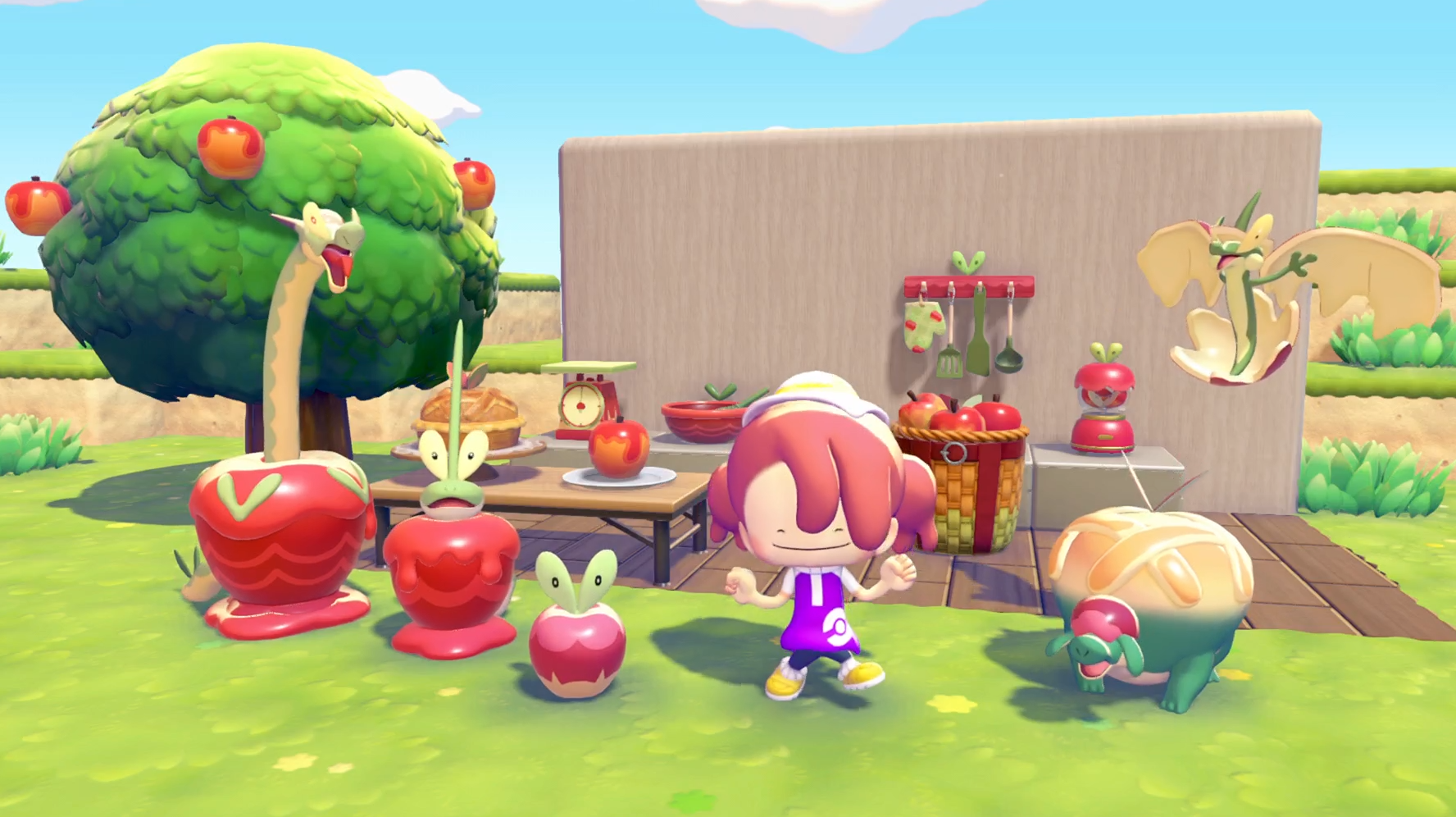
About the “Apples to Applin” event
Applin, the Apple Core Pokémon, is coming to town!
You can befriend Applin by playing this event during the event period.
You can also exchange the Syrupy Apples you collect during the event for items such as apple-themed furniture.
By creating habitats using those items, you can befriend Flapple, Appletun, Dipplin, and Hydrapple too!
We hope you participate and enjoy creating apple-themed rooms!
Event period: Monday, November 16 at 5:00 a.m. to Tuesday, December 1 at 4:59 a.m.
How to Start the Event
Download the ver. 2.0.1 or later software update for the game.
You can confirm whether your software is ver. 2.0.1 or later from the Options tab on the HOME menu.Complete a town’s important request and rebuild the Pokémon Center.
You can enjoy the event after you’ve completed the important request to rebuild the Pokémon Center. Even if you complete the request and rebuild the Pokémon Center on the day the event ends, you will still be able to enjoy the event until its conclusion.Match the date and time on the Nintendo Switch 2 console to the actual date and time.
If the date and time set on the device is outside the event duration, the event will not occur.Start up the software while connected to the internet.
If the version displayed on the title screen is ver 2.0.1 or later, the event will begin.
Notes:
This event does not occur on Cloud Islands or in Bubbly Basin.
Pokémon you befriend during this event will stay in the town even after the event is over.
In order to play this event for the first time, your Nintendo Switch 2 must be connected to the internet.
If you complete the conditions to start the event during the event period, you will have to go to another town and return, or select “Save & Quit” on the main menu and then open the game again.
If you would like to enjoy this event via Link Play, you can do so in Palette Town, but you will not be able to play in spectator mode.
If you would like to enjoy this event via Link Play in Palette Town, you must talk to Applin and learn about the event before connecting.